OpenCV image and video I/O looks simple—until imread returns an empty cv::Mat or VideoWriter silently creates a 0-byte file. This practical C++ guide shows the checks that prevent those failures.
You’ll learn imread, imshow, imwrite, VideoCapture and VideoWriter in OpenCV 5, with complete buildable code.
1. Loading Images — And the Check I Never Skip
#include <opencv2/opencv.hpp>
using namespace cv;

Mat img = imread("photo.jpg");

if (img.empty()) {
    std::cerr << "Could not read photo.jpg" << std::endl;
    return -1;
}
imread never throws. Wrong path, corrupted file, unsupported format — you just get an empty Mat, and the crash happens later, somewhere else. Always check empty().
Need grayscale directly? Pass the flag and skip a conversion:
Mat gray = imread("photo.jpg", IMREAD_GRAYSCALE);2. Displaying — Why waitKey Is Not Optional
imshow("My photo", img);
waitKey(0);
I used to forget waitKey() and wonder why the window flashed and disappeared. The truth: imshow only queues the drawing — waitKey is what actually pumps the GUI events. No waitKey, no window.
3. Saving with imwrite
imwrite("output.png", img);  // lossless
imwrite("output.jpg", img, {IMWRITE_JPEG_QUALITY, 90});.png→ lossless, bigger files, my default for intermediate results.jpg→ compressed, quality flag 0–100
The codec is chosen purely by the file extension. Simple, but easy to forget.
4. Video Capture — Files and Cameras, Same API
VideoCapture cap(0);              // webcam
// VideoCapture cap("movie.mp4"); // or a file — identical code below

if (!cap.isOpened()) {
    std::cerr << "Cannot open video source" << std::endl;
    return -1;
}

Mat frame;
while (cap.read(frame)) {
    imshow("Video", frame);
    if (waitKey(1) == 'q') break;
}
What clicked for me: video is just a loop over Mats. cap.read() returns false at end-of-file or on camera failure — that’s your natural exit condition.
5. The Trap I Fell Into: VideoWriter Frame Size
Here is the weekend-ruining bug I mentioned:
int w = (int)cap.get(CAP_PROP_FRAME_WIDTH);
int h = (int)cap.get(CAP_PROP_FRAME_HEIGHT);
double fps = cap.get(CAP_PROP_FPS);
if (fps <= 0) fps = 30.0;  // webcams often report 0!

VideoWriter out("rec.mp4",
                VideoWriter::fourcc('m','p','4','v'),
                fps,
                Size(w, h));

while (cap.read(frame)) {
    out.write(frame);  // frame size MUST match Size(w, h)
}
If the frame you write has a different size than the one you promised in the constructor, VideoWriter writes nothing — no error, no warning, just an empty file. Now I always assert the sizes match before a long recording.
6. Full Code Example + Build Instructions
My CMakeLists.txt (set the directory where OpenCV is installed, for example C:/opencv5/opencv-5.x/build/install):
cmake_minimum_required(VERSION 3.22)
project(cv5test)

set(CMAKE_CXX_STANDARD 17)
set(CMAKE_CXX_STANDARD_REQUIRED ON)

set(OPENCV_DIR "C:/projects/opencv5/opencv-5.x/build/install")
list(APPEND CMAKE_PREFIX_PATH "${OPENCV_DIR}")

find_package(OpenCV 5.0.0 REQUIRED)

add_executable(cv5test main.cpp)
target_link_libraries(cv5test PRIVATE ${OpenCV_LIBS})
target_include_directories(${PROJECT_NAME} PRIVATE ${OpenCV_INCLUDE_DIRS})

add_custom_command(TARGET ${PROJECT_NAME} POST_BUILD
    COMMAND ${CMAKE_COMMAND} -E copy_directory_if_newer
        "${OPENCV_DIR}/x64/vc18/bin"
        $<TARGET_FILE_DIR:${PROJECT_NAME}>
    COMMENT "Verifying and copying required OpenCV and FFmpeg runtime DLLs..."
)
Configure and build command for Visual Studio 18 2026:
cmake -S . -B build -G "Visual Studio 18 2026" -A x64
cmake --build build --config Release --parallel
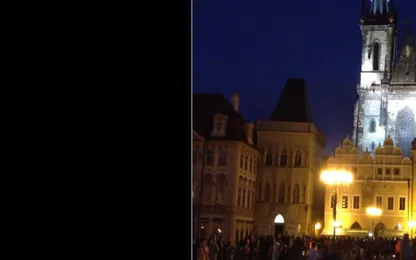
Full source code loads the ooo.jpg image and town0.avi video:
#include <opencv2/core.hpp>
#include <opencv2/opencv.hpp>
#include <opencv2/highgui.hpp>
#include <string>
#include <iostream>
#include <stdio.h>

using namespace cv;
using namespace std;

int main()
{
    std::cout << "OpenCV version: " << CV_VERSION << std::endl;

    Mat img = imread("ooo.jpg");
    if (img.empty()) {
        std::cerr << "Could not read photo.jpg" << std::endl;
        return -1;
    }

    Mat gray = imread("ooo.jpg", IMREAD_GRAYSCALE);
    imshow("My photo", img);
    waitKey(0);
    imshow("My photo", gray);
    waitKey(0);

    imwrite("output.png", img);
    imwrite("output.jpg", img, {IMWRITE_JPEG_QUALITY, 90});

    VideoCapture cap("town0.avi");
    if (!cap.isOpened()) {
        std::cerr << "Cannot open video source" << std::endl;
        return -1;
    }

    Mat frame;
    while (cap.read(frame)) {
        imshow("Video", frame);
        if (waitKey(1) == 'q') break;
    }

    int w = (int)cap.get(CAP_PROP_FRAME_WIDTH);
    int h = (int)cap.get(CAP_PROP_FRAME_HEIGHT);
    double fps = cap.get(CAP_PROP_FPS);
    if (fps <= 0) fps = 30.0;

    VideoWriter out("rec.mp4",
                    VideoWriter::fourcc('m', 'p', '4', 'v'),
                    fps,
                    Size(w, h));

    while (cap.read(frame)) {
        out.write(frame);
    }
}
7. My Key Takeaways
imreadfails silently — checkempty()every single time.waitKeydrives the GUI, not just the keyboard.- The file extension selects the codec in
imwrite. - A
VideoWriterframe-size mismatch can create a silent empty file. - Webcams may report FPS as 0 — always have a fallback.
Conclusion
I/O is boring until it fails silently. These small habits made my capture code boring in the best way — it just works.
In the next article, we’ll transform those loaded images: resize, crop, rotate and color spaces — including the HSV trick that makes color detection actually robust.
Tip: Need help to install or compile an OpenCV C++ program? Use agents in Antigravity, Cursor, Gemini CLI or Claude to do this for you.