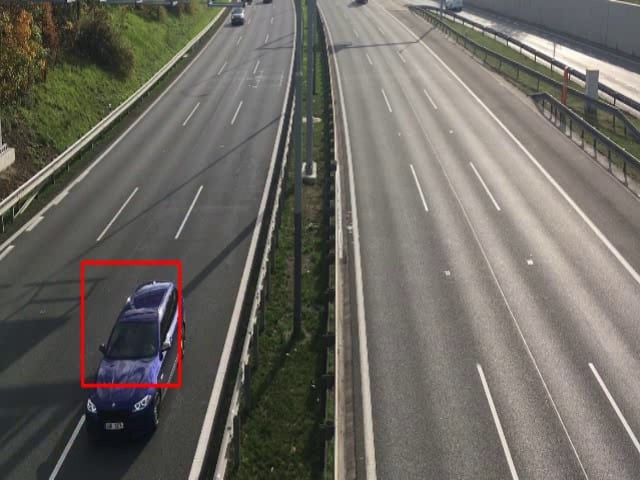
LBP ( included to download) and Haar features in OpenCV detectMultiscale are one of the most simple and also powerful (Old sure) to detect something. In this article is a pre-trained LBP cascade for car detection. Code and basic info. The results are not that bad. Check the video and enjoy a pre-trained cascade.

Opencv cascade for car detection conditions of use Also, Do not worry about the condition of use. Use only on your own risk. That’s it. The dataset to train this cascade is only mine. I also colect positive and negative data. I just want to say, that there is also no conditions based on the datasets. There is no others conditions of use. Maybe check the Opencv traincascade utility. Thanks. Yes share and cite. Just small minimal condition.
LBP cascade properties for car detection
<!—
This is just basic 5 stage haar cascade car detector develop by
V.K. from https://funvision.blogspot.com
—>
<opencv_storage>
<cascade>
<stagetype>BOOST</stagetype>
<featuretype>LBP</featuretype>
<height>32</height>
<width>32</width>
<stageparams>
<boosttype>GAB</boosttype>

<minhitrate>9.9999499320983887e-01</minhitrate>

<maxfalsealarm>4.1999998688697815e-01</maxfalsealarm>

<weighttrimrate>9.4999999999999996e-01</weighttrimrate>

<maxdepth>25</maxdepth>

<maxweakcount>80</maxweakcount></stageparams>
<featureparams>
<maxcatcount>256</maxcatcount>

<featsize>1</featsize></featureparams>
<stagenum>5</stagenum>
Opencv video results
Set Opencv Project in VS2015
You can simple prepare the project inside the Visual Studio 2015 by Nuget Packages. This approach is easy for beginers and better than standard installation with all the environmental variables problems. Just follow the installation steps inside here
How to use LBP cascade in OPENCV
Just Copy downloaded cascade inside the VS 2015 project dir.
Visual Studio 2015\Projects\CarProject\CarProject
#include "opencv2\highgui.hpp"
#include "opencv2\imgproc.hpp"
#include "opencv2\objdetect\objdetect.hpp"
#include "opencv2/video/tracking.hpp"
#include <vector>
#include <stdio.h>
#include <Windows.h>
#include <iostream>
#include <time.h>
#include <ctime>
using namespace cv;
using namespace std;
int main(int argc, const char** argv)
{
 // Output video
 VideoWriter outputVideo;
 outputVideo.open("caars.wmv", CV_FOURCC('W', 'M', 'V', '2'), 30,
 Size(640, 480), true);
 // Input video
 VideoCapture capture("car.MOV");
 Mat fgimg;
 Mat fgmask;
 int imcount = 0;
 string cascadeName1 = "cascade.xml";
 CascadeClassifier detectorBody;
 bool loaded1 = detectorBody.load(cascadeName1);
 for (;;)
 {
  bool Is = capture.grab();
  if (Is == false) {
   cout << "Video Capture Fail" << endl;
  }
  else {
   Mat img;
   capture.retrieve(img, CV_CAP_OPENNI_BGR_IMAGE);
   resize(img, img, Size(640, 480));
   img = img(Rect(0, 75, 639, 379));
   Mat original;
   img.copyTo(original);
   vector car;
   cvtColor(img, img, CV_BGR2GRAY);
   equalizeHist(img, img);
   detectorBody.detectMultiScale(img, car, 1.1, 5, 0 | 1, Size(20, 20), Size(600, 600));
   if (car.size() > 0) {
   for (int gg = 0; gg < car.size(); gg++) {
    rectangle(original, car[gg].tl(), car[gg].br(), Scalar(0, 0, 255), 2, 8, 0);
    }
   }
   imshow("det", original);
   int key6 = waitKey(40);
   resize(original, original, Size(640, 480));
   outputVideo << original;
  }
 }
}